
The pulse
Four numbers, every morning.
Labour cost and overtime for the month so far, hours and attendance for the last seven days. Each tile carries its own sparkline and a change against the period before.
Attendance
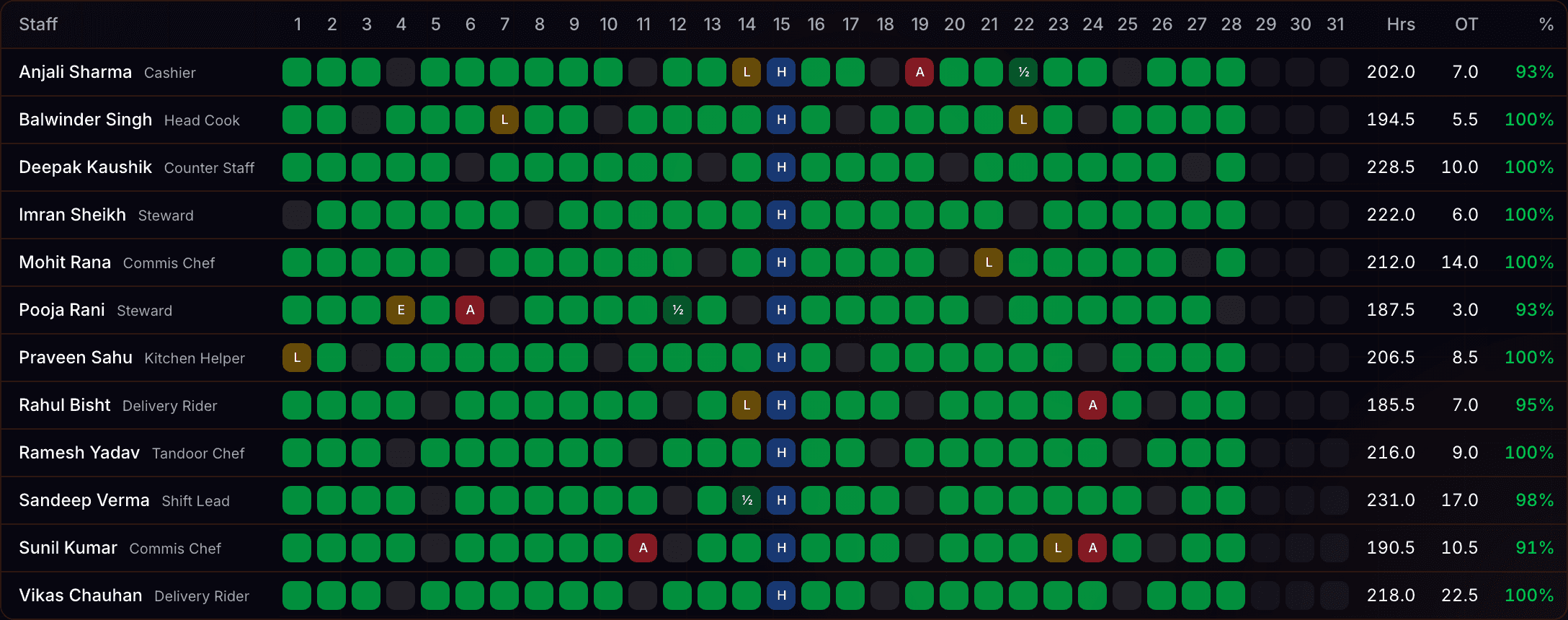
The month on one grid.
Every staff member down the side, every date across the top. Present, half day, off, leave and absent are one glance. The month's totals per staff member download as CSV.
Payroll
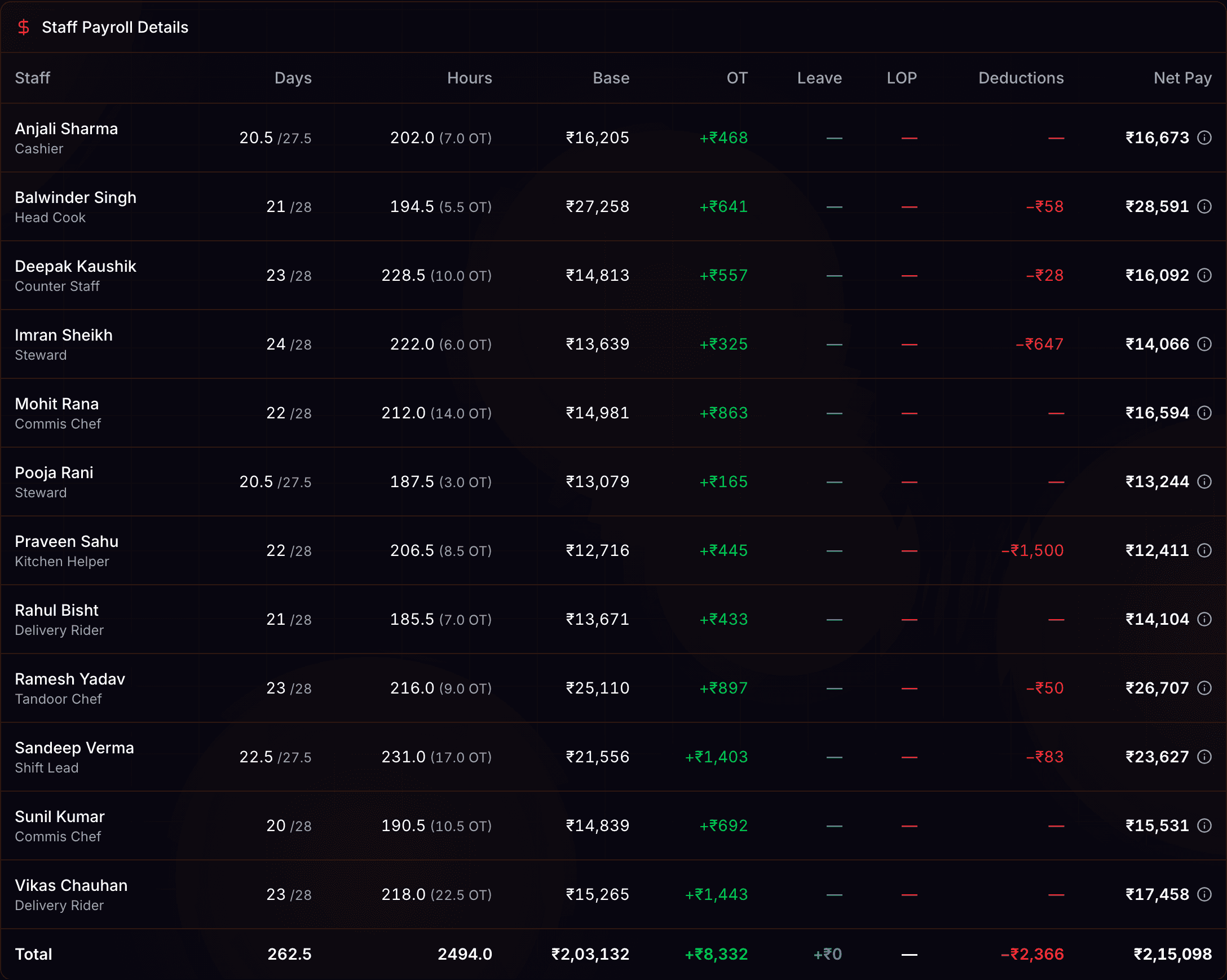
One register per month.
Days present, hours, overtime, leave, deductions and net pay for each staff member, on one page. The same register downloads as a CSV your accountant can open.
What the record holds.
Six months of labour cost and supplier spend, month by month.*
* The dashboard reads the last six calendar months of attendance and supplier bills.
Staff running ahead, and staff running short, over thirty days.*
* Ranked on attendance, absences and leave across the last thirty days.
One submitted close per restaurant per day, kept as written.*
* The close record has no update and no delete path once submitted.
Numbers, with their baselines.
Eleven columns come out of the attendance export.¹
Eighteen columns come out of the payroll export.²
Six months of history sit behind the monthly bars.³
Two registers export without a spreadsheet being typed.⁴
- ¹ One row per staff member for the month: staff, role, present, half day, off, leave, absent, loss of pay, hours, overtime and attendance percentage.
- ² From monthly salary through base pay, overtime pay, leave compensation and every deduction, to net pay.
- ³ Labour cost and supplier spend are bucketed by calendar month over the last six months.
- ⁴ The attendance month and the payroll month. These are the two exports that exist in the product today.
Honesty
What this does not do.
There is no sales reporting, no payment-type breakdown, and no profit margin anywhere in Restaurant Daily. The daily close records cash, banking and variance; it carries no split by cash, UPI or card.
Nor is it an analytics suite.
No shift-versus-shift comparison, no expense-category trend lines, no custom report builder, and no read-only login for an accountant. The two CSV exports above are the whole export surface.
Questions? Answers.
What can I export?
Two things: the attendance register for a month and the payroll register for a month, each as a CSV that opens in Excel, Google Sheets or Tally. There is no general report export.
Does it report sales?
No. The only sales figure in the product is the cash sales total typed on the close screen, and it exists to work out the drawer variance rather than to be reported on.
Can I see a breakdown by cash, UPI and card?
No. The close record has no payment-type dimension. Money that settles into the bank is logged per banking trip as cash, UPI settlement or card settlement, which is a deposit log rather than a breakdown of the day.
How far back does the history go?
The attendance and payroll registers go back to whichever month you pick. The dashboard trends are fixed windows: six calendar months for the monthly bars, thirty days for the staff lists.
Can I give my accountant a login?
Not a read-only one. The roles are business admin, manager and staff member, and none of them is view-only. Most operators download the two CSVs and send those instead.
Take the next step.
Who it is for